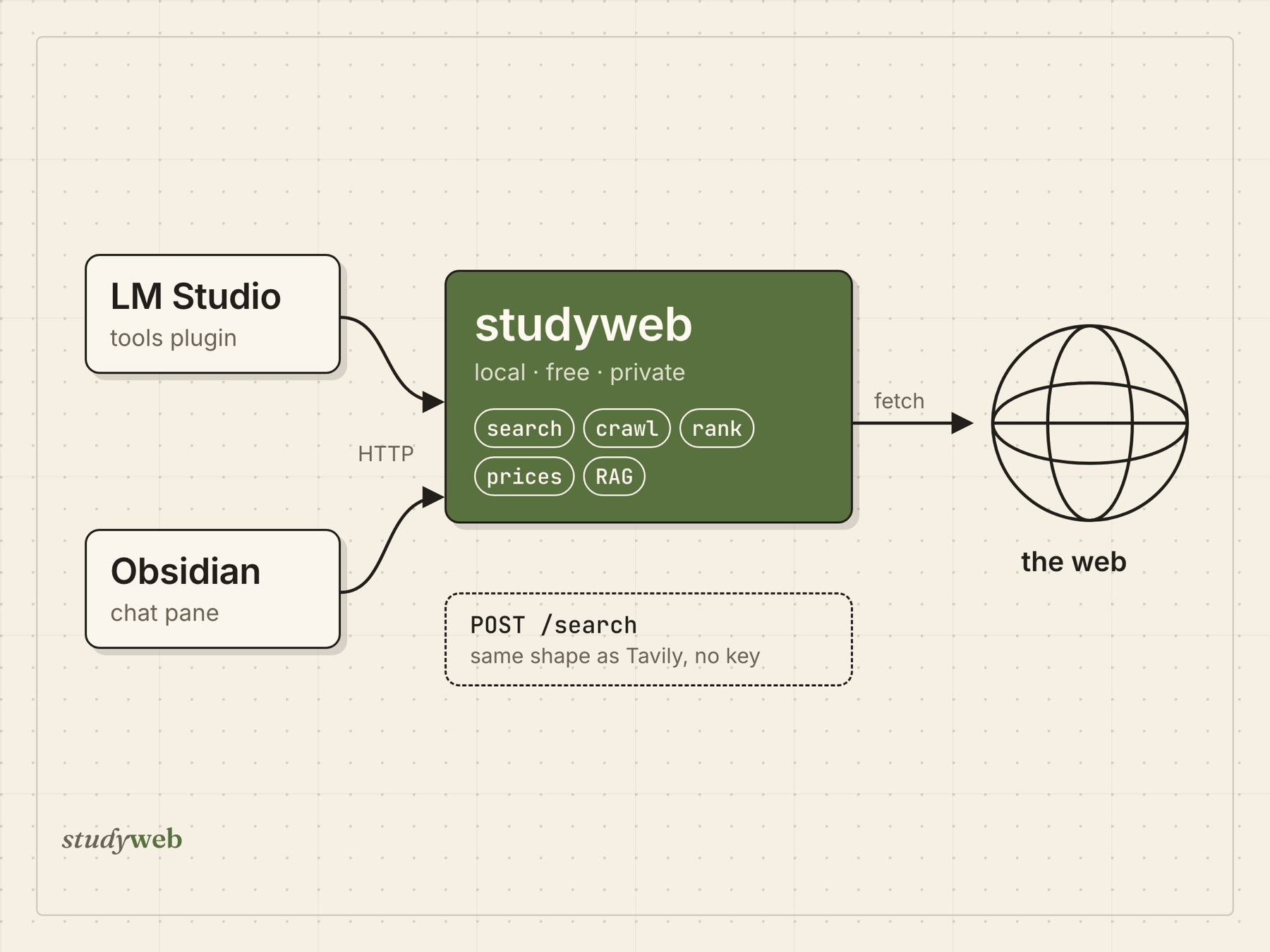
A local model is only as current as its training data. Tavily and similar services fix that, but they charge per search and see every query. studyweb does the same job on your own machine: it searches, reads the pages, ranks them, and hands the model a source-grounded answer. Only the page fetches leave the machine.
POST /search speaks Tavily’s request and response shape, so an existing client can point at localhost:8787 and drop its API key. The core install is two dependencies, requests and lxml.
Three repos, one engine
   LM Studio GUI  ─▶  studyweb-lmstudio  ─┐
                                          ├─HTTP─▶  studyweb  ─▶  the web
   Obsidian pane  ─▶  studyweb-obsidian  ─┘         (search · prices · extract
                                                     · rank · RAG · providers)
- studyWeb is the engine: a Python library, a CLI, and an HTTP server.
- studyweb-lmstudio is an LM Studio plugin. Any model loaded in LM Studio gets
web_search,site_search,find_prices,open_url,collect_rag, andextract_data. Anask_experttool hands a question the local model can’t handle to an external API (Claude, OpenAI, NVIDIA NIM). API keys stay on the server, never in the plugin. - studyweb-obsidian is a chat pane in Obsidian. It talks to a local or cloud model with the same tools and shows tokens and cost under every answer. One click saves the answer into a note, with a list of the sources it used.
Both plugins are thin HTTP clients, so the heavy lifting lives in one place.
What it does
- Search with no keys. Bing, DuckDuckGo, and Wikipedia work out of the box. Naver, Brave, Tavily, SerpAPI, Google CSE, and a private SearXNG join automatically when their keys are set.
- A RAG pipeline.
crawl → strip → clean → chunk → outputturns pages into embed-ready chunks with source metadata, in plain or LangChain/LlamaIndex shape. - Prices, not snippets.
studyweb pricessearches each shop’s own site and reads the price off the product page. - Any model. One tool-calling loop runs on LM Studio, OpenAI, the Claude API, NVIDIA NIM, the Claude Code CLI, or any OpenAI-compatible server. Every call is priced and counted.
$ studyweb prices "AMD 라이젠5 9600X" --per-site 2
      252,000원  enuri.com       AMD 라이젠5-6세대 9600X (그래니트 릿지) [멀티팩 정품]
      259,000원  compuzone.co.kr [AMD] 라이젠5 그래니트 9600X (…/쿨러포함) 멀티팩
      260,720원  danawa.com      AMD 라이젠5-6세대 9600X (그래니트 릿지) (멀티팩 정품)

6건 · 최저 252,000원 · 중앙값 265,000원 · 최고 2,429,000원  (6.3s)
  - 11st.co.kr: 3 page(s) found, none priced — blocked by robots.txt
  - coupang.com: no results — the site's search page returned nothing to a static fetch
Decisions worth explaining
A missing price is reported, never dropped. Every site that yields nothing appears in misses with the reason. Otherwise an empty answer could be mistaken for a cheap one.
Read the price the page shows a person. Some Korean shops plant a decoy: Compuzone puts a hidden <div style="display:none">256,000</div> right before the real price. The reader removes hidden nodes first, and it only accepts a number that sits under a visible price label (판매가, 최저가, Price). It also requires a currency: 265,000원 is a price, but the 9600X in a product name is not.
Politeness wraps every fetch. robots.txt, an SSRF guard, per-host throttling, a size cap, and a cache all live in one function that every fetch engine passes through. A fetch starts as a plain request and moves to a heavier engine, like headless Chrome, only when the page forces it.
A system prompt written for the models that actually run it. A 30–80B local model loses the middle of long instructions. It reads a bare “never do X” as “do X”, and it calls web_search whenever the choice of tool is unclear. The bundled prompt is a short routing table built around those three habits.
Status
The backend has 222 tests, which pass with one skipped as of October 2026. Shops that render their listings in JavaScript (Coupang, 11st, Naver Shopping) return nothing to a plain fetch. They need headless Chrome or Naver API keys. studyweb is not on PyPI; install it from the repo.